 Campound
Navigation
Help guide · Updated June 25, 2026
Start a nav session
Every detail screen with a Navigate button (the triangle icon) can start one — trails from Find a trail, campgrounds from Find a spot, any feature you've drawn or imported. Tap it and the nav panel slides up.
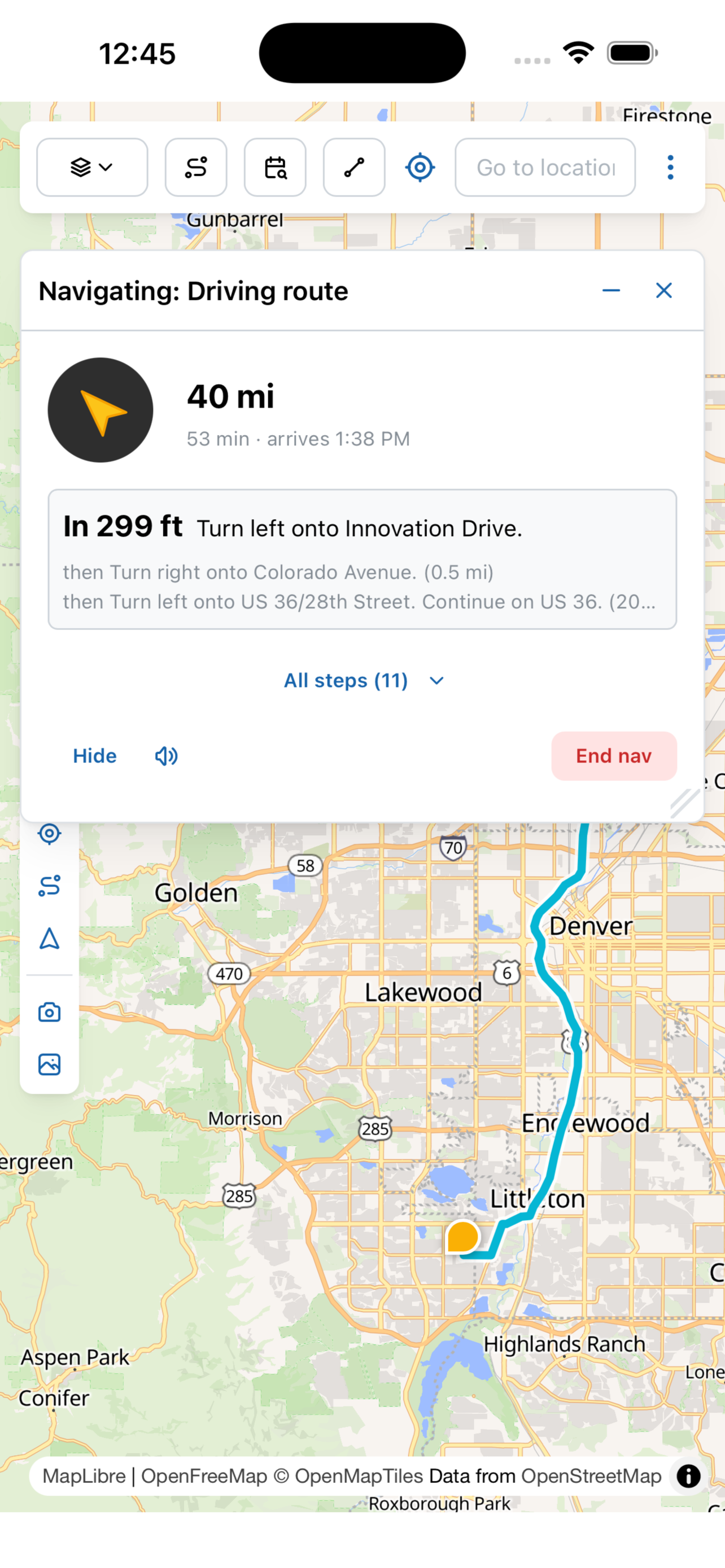
The other map tools all defer to the nav panel while a session is running — they're still accessible, but the panel takes precedence. Tap Hide to minimize it to a header pill, or End nav to cancel.
The hybrid route
The thing that makes Campound different from a typical nav app: a single session can stitch together three different routing layers, in order. You tap Navigate once; the app figures out which mode applies where.
Paved roadsMapbox
From where you are now to the last paved road on the way in, Campound uses Mapbox driving directions — the same engine you'd get from any standard nav app. Real turn-by-turn, lane guidance, ETA. Works exactly as you'd expect.
Forest roads & dirtOff-road A*
When the paved road ends and the forest-service road begins, Campound's own routing engine takes over. It runs an A* search over the off-road network in your cached PMTiles — National Forest System roads, BLM roads, MVUM. No external API; works offline.
Trail-followingTrail mode
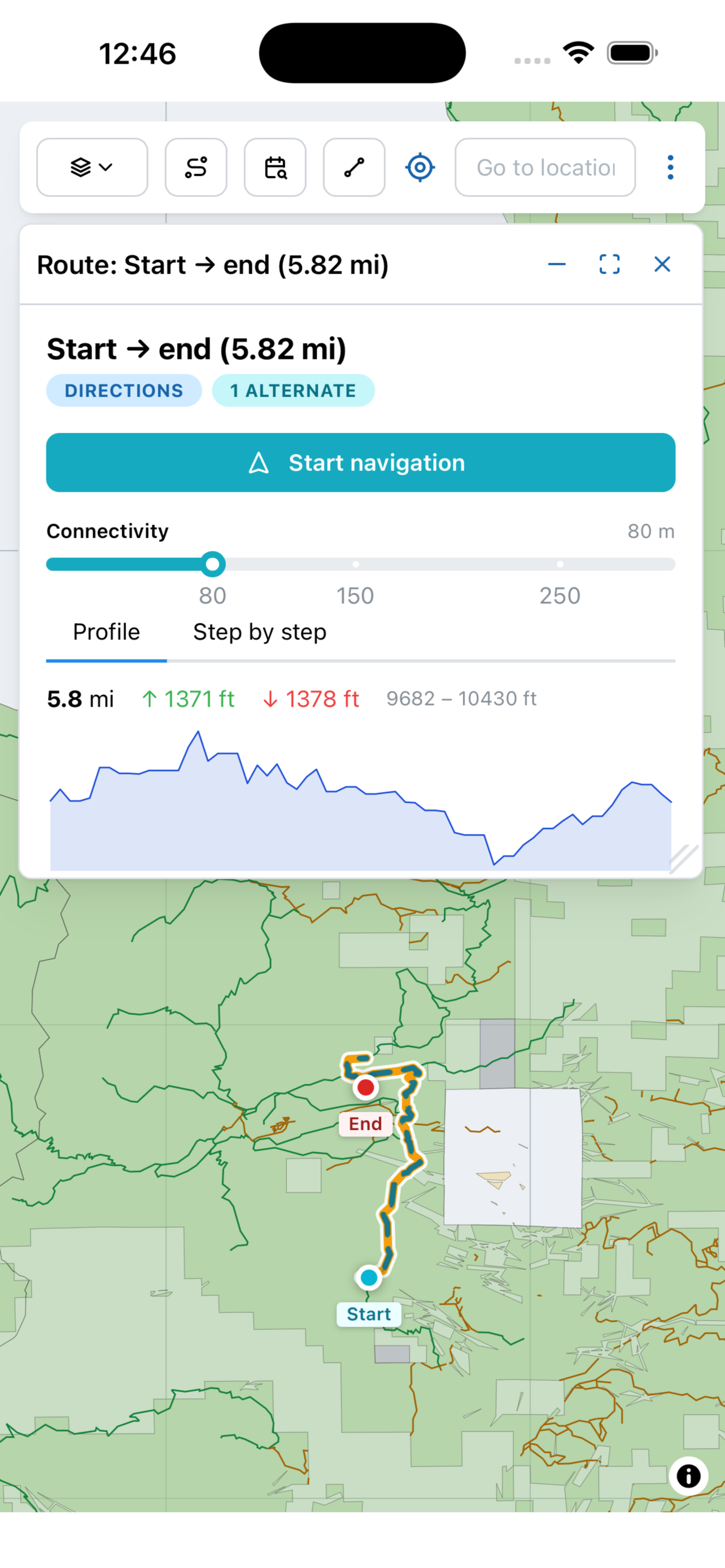
If the destination is a trail (or you reach the trailhead and keep going), Campound switches to trail mode. It tracks your distance along the trail's polyline and warns you with a voice prompt if you drift more than 150m off-path. Approaching the trail's end gets its own prompt at 100m.
Trail mode looks different
When the destination is a trail and you've reached it, the panel switches into trail-following — no maneuvers, no ETA, just where you are on the trail. The Mapbox routing pipeline is bypassed entirely; the trail's polyline is the route.
The dashed-extension fallback
If any leg fails — the off-road A* can't find a route, the trailhead is too far from any road, or the destination is past the end of all known roads — Campound falls back to a dashed-line bearing-only mode. The panel shows the compass heading toward the destination as the crow flies; the voice cue is "Off paved roads. Following bearing."
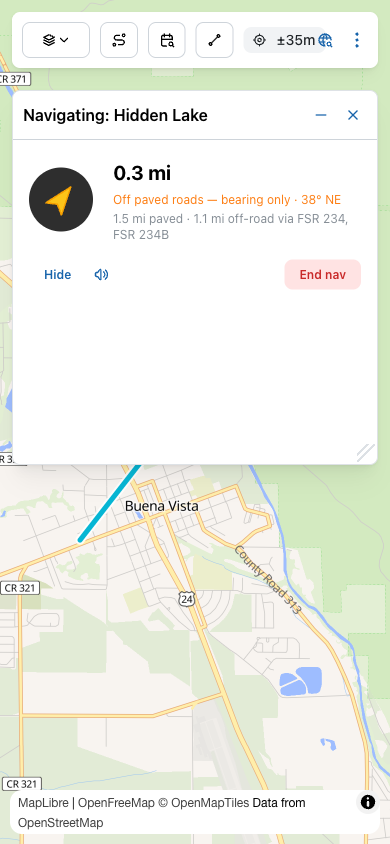
You're not getting turn-by-turn anymore, but the navigation isn't dead — you have direction and distance, which is enough for the last mile of dispersed camping or a faint two-track. Every system on the panel keeps working: voice cues, haptics, GPS tracking, watch sync.
What you hear and feel
Voice prompts
Campound speaks at the moments that actually need a verbal cue:
| When | What it says |
|---|---|
| Session start | "Starting navigation to <name>" — or, for trails: "Driving to <name> trailhead" / "Following <name>". |
| ~400m before a turn | "In 400 meters, turn right onto Highway 50" — the standard pre-maneuver heads-up, one per turn. |
| Off route | "Off route. Recalculating." Fires once when sustained drift triggers a re-fetch; the old route stays visible while the new one loads. |
| Crossing onto dirt | "Off paved roads. Following bearing." Fires once when you pass the last paved vertex. |
| Reaching the trail | "Arrived at trailhead. Following <name>." Trail mode activates. |
| Drifting off-trail | "You have wandered off the trail." Fires when you pass 150m from the trail polyline while in following mode. |
| Trail ending | "Approaching end of trail." Fires within 100m of the last vertex. |
| Arrival | "You have arrived at <name>." |
The speaker icon in the nav panel mutes voice for the session and persists across sessions. When voice is muted, Campound switches the iOS audio session into a non-ducking mode so Spotify, podcasts, or whatever you're listening to plays at full volume.
Haptics
On phone and Apple Watch, three taps replace listening — useful when the speaker is in the pocket or you have a passenger asleep:
- Medium tap at the 400m maneuver-warn — your cue to look at the screen.
- Light tap at off-route recalc — softer because you didn't need to react instantly.
- Three-beat success buzz at arrival — distinct so it reads as "you're done" instead of "another turn."
The watch buzzes in sync with the phone — both devices get a tap at the same moment, even if the watch screen is dark or the wrist is down. Haptics ignore the voice mute by design, so quiet-mode driving still gets tactile cues.
Across devices
iPhone
The nav panel sits on the map. The route paints orange. GPS dot rotates with your heading. Backgrounding the app keeps the GPS running and surfaces a system notification — tap it to come back to the session. Locking the screen doesn't end the session; voice and haptics keep firing.
Apple Watch
The watch's NavigationView mirrors the phone — current step, distance to next maneuver, ETA. The phone pushes a snapshot once per GPS fix (about 1Hz). Even if you've dismissed the watch view, the haptics still fire from WatchConnectivityManager — so you can put the watch face up and still feel the turn-warn through your wrist.
CarPlay
Plug into a CarPlay-capable head unit and Campound mirrors the active nav session to the car screen — at a driving-friendly zoom, with the same hybrid routing intact. The off-paved transition shows the same dashed extension on the car screen that you'd see on the phone. CarPlay is live — Apple has granted the CarPlay Navigation entitlement.
Off-route and off-paved
If you drift off the planned route
Campound watches for sustained drift — a single bad GPS fix doesn't trigger a recalc, but consistently being off the line does. When it fires:
- Voice: "Off route. Recalculating."
- Haptic: light tap.
- The panel header turns yellow with "Rerouting…".
- The old route stays visible while a new one fetches — so you don't lose your reference point.
- When the new route lands, the panel returns to normal and the maneuver list refreshes.
If the road runs out
When you cross from the routed portion of your trip into the dashed extension (pavement ended; you're now on the dirt segment we couldn't route), Campound:
- Says "Off paved roads. Following bearing."
- Switches the panel header from drive-time to a compass heading + crow-flies distance.
- Suppresses per-maneuver prompts (there are no maneuvers anymore).
- Keeps the dashed line visible on the map so you have a rough corridor to follow.
The voice prompt fires once per session. You won't get a fresh "off paved" warning every time the GPS jitters.
Offline behavior
This is the part where Campound earns the Swiss-army-knife badge. If you've used Offline data to cache the state, every piece of the navigation system works without signal:
- Map tiles render from the cached PMTiles.
- Off-road A* routing runs against the cached vector data — no API call needed.
- Trail-following uses the cached trail polyline.
- GPS is on-device. Voice is on-device. Haptics are on-device.
The one thing that does need signal: fresh Mapbox paved-road directions for the on-pavement leg. If you start a session offline, Campound skips straight to the bearing-only fallback for the paved part too — still functional, just less polished. If you start online and lose signal mid-session, the routing you've already fetched keeps working; only re-routes that need fresh Mapbox data fail.